


Paint by Number April Coloring
4.42.22K Reviews
App Specs
- Version
- 3.54.0
- Updated On
- License
- Free
- Downloads
- 1,000,000+
- Developer
- Crimson Pine Games
- Categories
- Board
- Platform
- Android
Screenshots
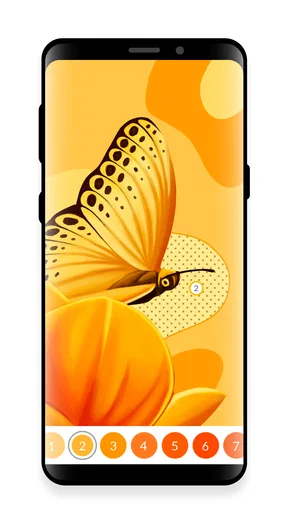
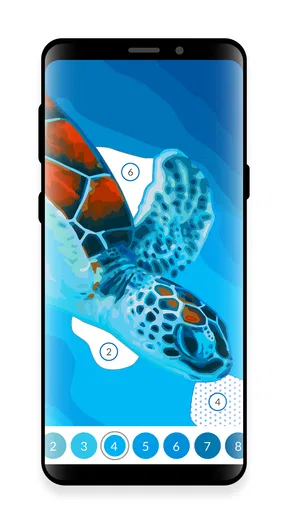
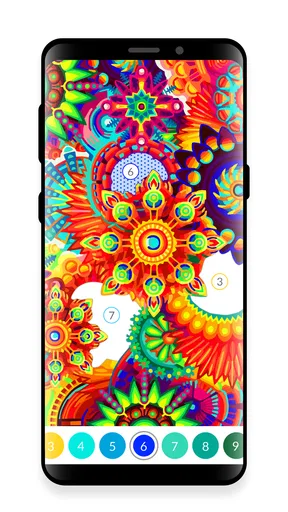
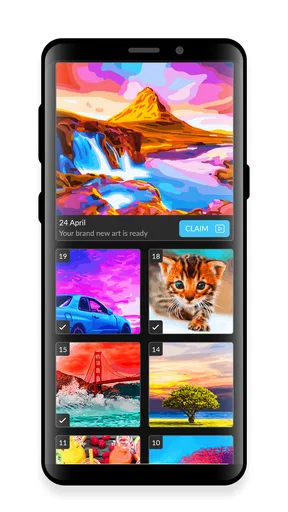
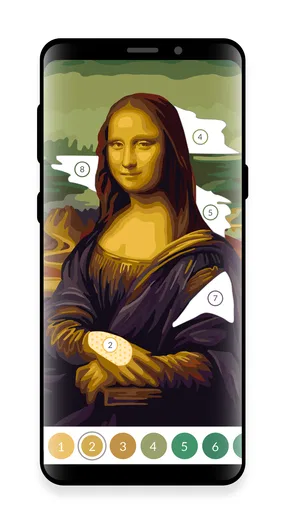
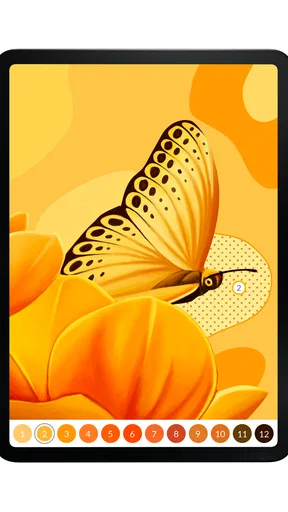
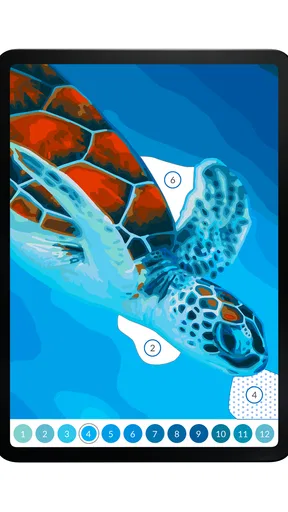
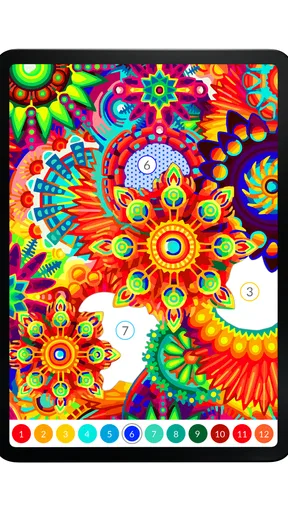
 Analysis by AppCompare
I tend to reach for a coloring game when I want a quiet break that asks for a little attention but no planning. Antistress - April Coloring fits that niche with a simple, distinctive idea: instead of tapping every small space, I color by swiping. That makes it easy to pick up for a few minutes, though it also means the experience is more guided than a freehand drawing app. If you enjoy filling in ready-made artwork rather than creating a picture from a blank canvas, that distinction matters.
What the current version is like
This is a free board game from Crimson Pine Games, built around oil-painting-style, numbered coloring. The current version is 3.51.1, and the game has been available since August 23, 2018. It has a 4.5 average from around 18,000 ratings, with more than a million installs. Those figures suggest it has found a broad audience, but they don’t tell me whether its particular pace will suit you: the useful question is whether you want a relaxing, structured activity or a more open-ended art tool.
The swipe approach is the main thing I’d want a new player to understand before installing. You are following the picture’s existing sections and colors, not choosing every detail yourself. That can make the first minutes feel welcoming, especially if tiny tap targets in other coloring games become annoying. It can also feel restrictive if you want to mix colors freely, sketch your own outlines, or make every image look entirely your own. I see it as a coloring activity with a clear route through each image, not a digital painting studio.
How it fits into a real break
Its strongest use case is a short pause between other things. I can imagine opening it while waiting for a meal to finish or taking a breather after work, choosing a picture, and concentrating on one small task instead of scrolling through a feed. Because the activity is divided into areas to fill, it gives a brief session a natural sense of progress. For a longer, more deliberate creative session, a drawing app or a physical coloring book may be more satisfying; those give you greater control over the image and don’t center the experience on completing numbered sections.
A practical tip is to treat each picture as a stopping point rather than assuming you need to finish it in one sitting. That makes the game easier to fit around a busy day and keeps the activity from turning into another task on a checklist. The swipe mechanic is also worth trying with a light touch first: broad gestures may feel quicker, while careful movements give you more control around small regions. Which feels better depends on the image and your own patience, so I’d test both rather than expecting one approach to suit every page.
What the numbers and price mean for a player
The game is free to download and rated for Everyone, so it is easy to try as a casual activity and approachable for a wide range of ages. In-app purchases range from $0.99 to $99.99 per item, which is a wide span. I’d keep that in mind if a child will use the device: the free starting point doesn’t mean every optional purchase has the same small cost. Checking purchase settings before handing over a phone is a sensible precaution, especially when a game is being used as a low-pressure distraction.
For adults, the age rating and coloring format make it an easy choice to share, but I wouldn’t assume that every person will find the same images or pace calming. Some people relax through repetition; others become impatient when a creative activity directs them toward specific colors and spaces. If you are in the second group, try a few sessions before deciding whether the structure feels reassuring or limiting. The game’s short-description promise of an antistress experience is best treated as an invitation, not a guarantee of how you will feel.
Worth Reading Before You Choose

EA SPORTS FC Mobile 26 Is a Bigger Football Game, but It Takes Time

Flipboard Shows What News Apps Must Do Beyond the Feed

Switching to Android Auto Means Rethinking Your Driving Routine

Google Calendar Makes a Crowded Week Easier to Manage

Ludo King Makes the Most of the Minutes Between Plans

Baby Panda World Brings Quick Play to Modern Phones, but Its Game Library Feels Busy
How it compares with other coloring choices
Compared with a standard tap-to-fill coloring game, swiping gives this one a more continuous feel and can reduce the sense of selecting dozens of tiny cells one by one. Compared with freehand painting apps, though, it gives up control: the pleasure is in applying color to an arranged design, not inventing one. A paper coloring book offers a different trade-off again, with pencils, texture, and no screen interaction, but it is less convenient to carry casually on a phone. I’d choose this game when I want a guided activity close at hand, and choose another format when I care more about personal technique or making an original composition.
One useful way to avoid frustration is to decide what you want from the session before opening it. If your goal is to settle your attention, follow the numbered areas and let the image dictate the pace. If your goal is to experiment with a palette, you may be happier in a tool that lets you pick colors and place every mark yourself. That small distinction helps set fair expectations and makes it easier to tell whether the game is the right kind of creative break for you.
Discovering the World of Colors
The first thing that struck me about Antistress - April Coloring is the sheer variety of coloring pages it offers. Whether you're into intricate mandalas, cute animals, or beautiful landscapes, there's something here for everyone. The app boasts a vast collection that’s regularly updated, so you never run out of new designs to try your hand at.
Getting started is super simple. With just a few taps, you can pick your favorite design and get coloring. The interface is intuitive, allowing you to easily choose from a wide range of colors and shades. It's the kind of app that doesn't require a tutorial—just jump in and start creating!
The Joy of Coloring
Now, let's talk about the actual coloring experience. One of the things I love most about this app is how smoothly it operates. The color application is seamless, and the app responds well to your touch, giving you the freedom to express your creativity without any hiccups. It's almost like having a physical coloring book and crayons in your hands.
Each stroke feels satisfying, and the vibrant palette ensures that your creations pop off the screen. Whether you prefer bold, bright colors or more subdued tones, the app has you covered. There's even a feature that lets you save your completed works to your gallery, so you can revisit them whenever you need a mood boost.
Mindfulness at Your Fingertips
What truly sets Antistress - April Coloring apart is its ability to foster mindfulness. As you focus on filling in the patterns, you naturally find yourself becoming more relaxed and centered. It's a simple yet effective way to practice mindfulness, even if you only have a few minutes to spare.
The app also includes calming background music, which you can toggle on or off depending on your preference. I found that the gentle tunes further enhance the overall experience, making it perfect for a quick escape into tranquility.
Accessibility and Ease of Use
One of the standout features of this app is its accessibility. It's designed to be user-friendly for all ages, making it an ideal choice for both kids and adults. The controls are straightforward, and there's no need for any in-app purchases to enjoy the full range of features.
Antistress - April Coloring runs smoothly on both Android and iOS, ensuring a consistent experience across devices. Plus, it's lightweight, so it won't eat up your storage space or slow down your phone.
Final Thoughts
In a world that's constantly buzzing with activity, Antistress - April Coloring offers a much-needed respite. It's a delightful app that combines creativity, relaxation, and mindfulness in one neat package. Whether you're a seasoned coloring enthusiast or someone new to the art form, this app will make you want to pick up your virtual brush and start filling the world with color.
Overall, I can't recommend it enough. If you're looking for a way to unwind and channel your creativity, give Antistress - April Coloring a try. It's a little oasis of calm that fits right in your pocket.
Small habits that make the sessions work better
I get the most from this kind of guided coloring when I make the session deliberately modest. For example, I might open a picture during a quiet ten-minute wait, choose one section to work through, and stop when I’m ready rather than chasing completion. That keeps the game from becoming a productivity goal. If I have more time, I can continue; if not, the activity still gave me a focused pause.
Swiping also changes how I approach the screen compared with tapping. I’d avoid rushing across a complicated area until I’ve seen how the game responds to my gestures. Slowing down around dense details can help keep the motion controlled, while a broader swipe can feel more natural in open areas. This is a small adjustment, but it makes the central interaction feel less like a test of precision and more like a steady coloring rhythm.
Who is likely to enjoy it—and who may not
I’d recommend giving it a try if you like visual puzzles, enjoy watching a picture gradually take shape, or want a low-commitment activity that does not require drawing skills. The structure can be especially appealing when you want to focus on something simple without having to invent a subject or decide on every color. It may also suit someone who finds ordinary tapping repetitive and wants a more flowing gesture to complete areas.
I’d steer away if your main reason for downloading a coloring app is to make original art, blend shades freely, or build a personal illustration from scratch. The numbered, prearranged format is a feature for some players and a ceiling for others. Likewise, if you dislike screen-based activities or find bright displays tiring, a paper book may be a more comfortable way to color. The game is a casual option, not a substitute for every kind of creative tool.
What to expect from an established game
The version number shows that the game has continued through many iterations since its 2018 release, but I wouldn’t read that alone as proof of a particular recent change. What matters to a player is how the current build feels on their own device and whether the present selection and interaction suit them. If you already use it, a newer version can be a reason to check that the game remains current, but it is not a reason to expect a specific new feature without seeing it in the app.
For someone deciding whether to start now, the long-running presence and large audience offer useful context, not a guarantee that the experience will match personal taste. I’d begin with the free download, try more than one type of picture, and notice whether the swipe-based coloring feels relaxing after the novelty wears off. That short test answers a more practical question than a rating can: do you want to return to this style of activity?
Practical questions before you settle in
If you are wondering whether it works for brief sessions, the format is naturally easy to sample in short bursts because each image is made up of areas you can fill progressively. If you are asking whether it is a drawing app, I’d say no in the usual sense: it offers guided coloring rather than a blank canvas and freehand tools. And if you are deciding whether to pay, remember that it is free to install but includes optional purchases; I’d explore the basic experience first and only consider spending if you clearly want what an offered item provides.
For families, the Everyone rating makes the game broadly approachable, but I would still keep purchase controls in mind and let a child try the interaction before assuming it will hold their interest. For adults using it as a wind-down routine, I’d pair a short coloring session with a comfortable screen brightness and silence or lower the sound if music is not part of how they relax. Those simple choices can make the game fit personal habits without expecting it to do the work of relaxation on its own.
A measured recommendation
My recommendation is strongest for people who want guided coloring to be immediately available, rather than a full set of artistic tools. The swipe mechanic gives the activity its own identity, and the numbered structure can make it easy to settle into a picture without planning a composition. Its limitations are just as clear: personal control is narrower than in free painting, and the calming effect depends on whether this kind of repetitive focus feels pleasant to you.
I’d try it as a convenient pocket-sized coloring option, especially if you’re curious about a gesture-led alternative to tap-to-fill games. Keep expectations grounded, pay attention to whether the format genuinely suits your downtime, and use the free starting point to make that judgment before considering optional purchases. For the right player, it can be a pleasing little ritual; for someone seeking open-ended art, another kind of app will be a better fit.
Pros
- Wide variety of coloring pages.
- User-friendly interface.
- Regular content updates.
- Relaxing background music.
- Offline mode available.
Cons
- Contains ads during sessions.
- Limited free tools.
- Premium features are pricey.
- Requires in-app purchases.
- No social sharing options.
FAQs for Paint by Number April Coloring
What is Antistress - April Coloring and how does it work?
Antistress - April Coloring is a mobile application designed to help users relax and unwind through coloring. It provides a variety of intricate and soothing designs that users can fill with colors of their choice. The app offers a seamless interface where you can select different color palettes and use easy touch controls to apply colors to your chosen design.
Is Antistress - April Coloring free to download and use?
Yes, Antistress - April Coloring is free to download on both Android and iOS platforms. While the basic version offers a wide range of coloring pages and tools, there are in-app purchases available. These purchases can unlock additional features, premium color palettes, and exclusive designs for a more enhanced experience.
What are the main features of Antistress - April Coloring?
The app offers a diverse collection of coloring pages, from simple designs to complex mandalas. Users can enjoy a variety of color palettes and tools for shading and blending. It also includes features like zooming for detailed work, undo/redo options, and the ability to save and share your artwork on social media platforms, making it a versatile tool for relaxation.
Is Antistress - April Coloring suitable for all ages?
Yes, Antistress - April Coloring is designed to be family-friendly and suitable for all ages. Its user-friendly interface makes it accessible to children, while the complexity of some designs can also appeal to adults seeking a more challenging coloring experience. Parental guidance is advised for younger children due to potential in-app purchases.
Can I use Antistress - April Coloring offline?
Once you have downloaded the coloring pages, Antistress - April Coloring can be used offline. This makes it a convenient option for relaxation during travel or in places without internet connectivity. However, accessing new content or making in-app purchases will require an internet connection.


